> For the complete documentation index, see [llms.txt](https://docs.mydbsync.com/cloud-workflow/llms.txt). Markdown versions of documentation pages are available by appending `.md` to page URLs; this page is available as [Markdown](https://docs.mydbsync.com/cloud-workflow/template-library/shipstation-to-quickbooks-online-orders.md).
# ShipStation to QuickBooks Online Orders
## Introduction
DBSync for ShipStation to QuickBooks Online Orders Integration is an easy to use application. It integrates ShipStation Orders with QuickBooks Online Customer, Item, Invoice, and Sales Order. DBSync provides integration with pre-built field-to-field mapping along with flexibility for more complex and dynamic mapping capability. DBSync's automatic Online update enables its customers to enjoy all the product updates and features that come with every new release.
### Data Flow
Data flow integration between ShipStation to QuickBooks Online Orders is shown below.
| ShipStation | QuickBooks Online |
| ----------- | ---------------------------------------- |
| Orders |
Customer
Item
Invoice
|
{% hint style="info" %}
You can also create Invocies on QuickBooks from multiple order status for ShipStation orders such as ***shipped, awaiting\_payment, awaiting\_shipment.***
{% endhint %}
## Process to run the Integration
To utilize the pre-built ShipStation to QuickBooks Online Orders Integration template, follow the below steps:
1. Click Add Template from the Home screen.
2. Select the template ShipStation to QuickBooks Online Orders Integration and import it into your workspace.
3. After importing the template, you'll be presented with a setup form.
### Setup Process
1. On the Connection tab, connect the necessary application and grant access to ShipStation data to establish a connection to QuickBooks Online for accounting data access.
{% hint style="info" %}
For more information about the ShipStation connector, click [here](/cloud-workflow/connectors/shipstation.md).
For more informaiton about the QuickBooks Online connector, click [here](/cloud-workflow/connectors/quickbooks-online.md).
{% endhint %}
#### Setup Variables
2. Define values for variables based on your company's specific use case. For example, you can select ShipStation Order status for data mapping between ShipStation and QuickBooks Online.
3. Click 'Next' and click 'Run' to complete the Integration.
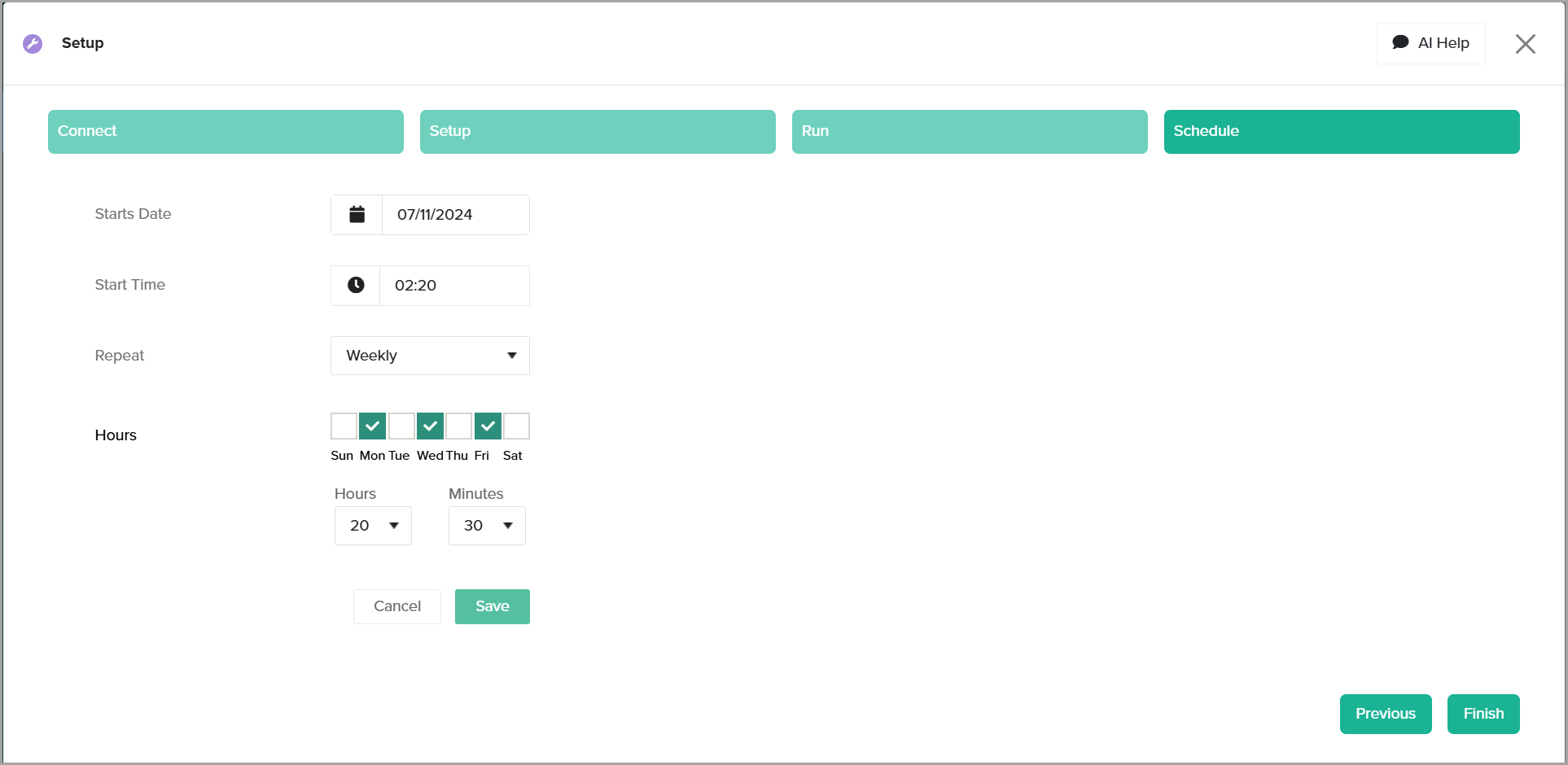
4. Finally, navigate to the Schedule tab to set up scheduling parameters for automated integration between ShipStation and QuickBooks Online.
5. Specify different intervals such as minutes, hours, days, or weeks to customize the schedule as needed.
### Pre-built Template and Workflows
The template downloaded from the library contains various workflows which can be enabled to run the integration between ShipStation to QuickBooks Online Orders Integration.
Make sure you ENABLE the required workflows before you run the integration.