> For the complete documentation index, see [llms.txt](https://docs.mydbsync.com/cloud-replication-main/llms.txt). Markdown versions of documentation pages are available by appending `.md` to page URLs; this page is available as [Markdown](https://docs.mydbsync.com/cloud-replication-main/target-setup/databricks.md).
# Databricks
Setting up your Database Instance with Databricks
Follow these steps to configure your database instance using Databricks:
* Log in to your DBSync Cloud Replication instance.
* Navigate to the Database tab to begin configuration.
* Click the Database icon in the top navigation toolbar.
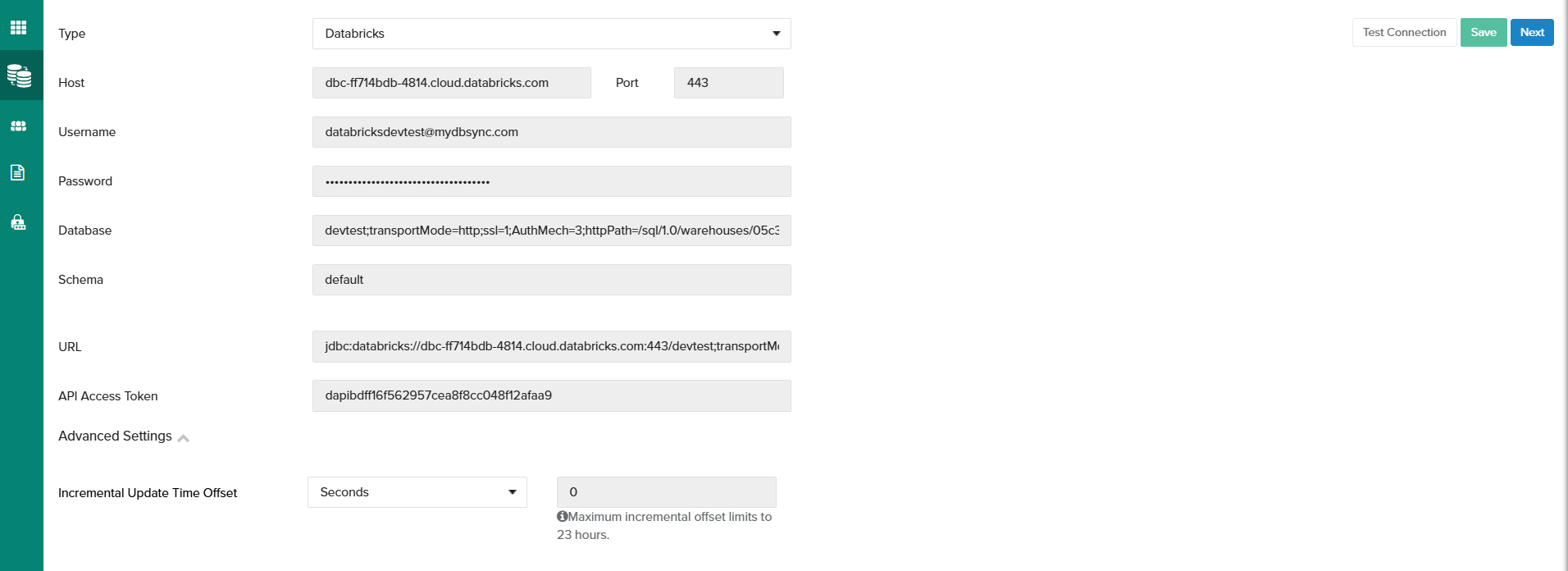
* Select Databricks and provide the necessary configuration details, including:
* Host
* Port
* Username
* Password
* Database name
* Schema
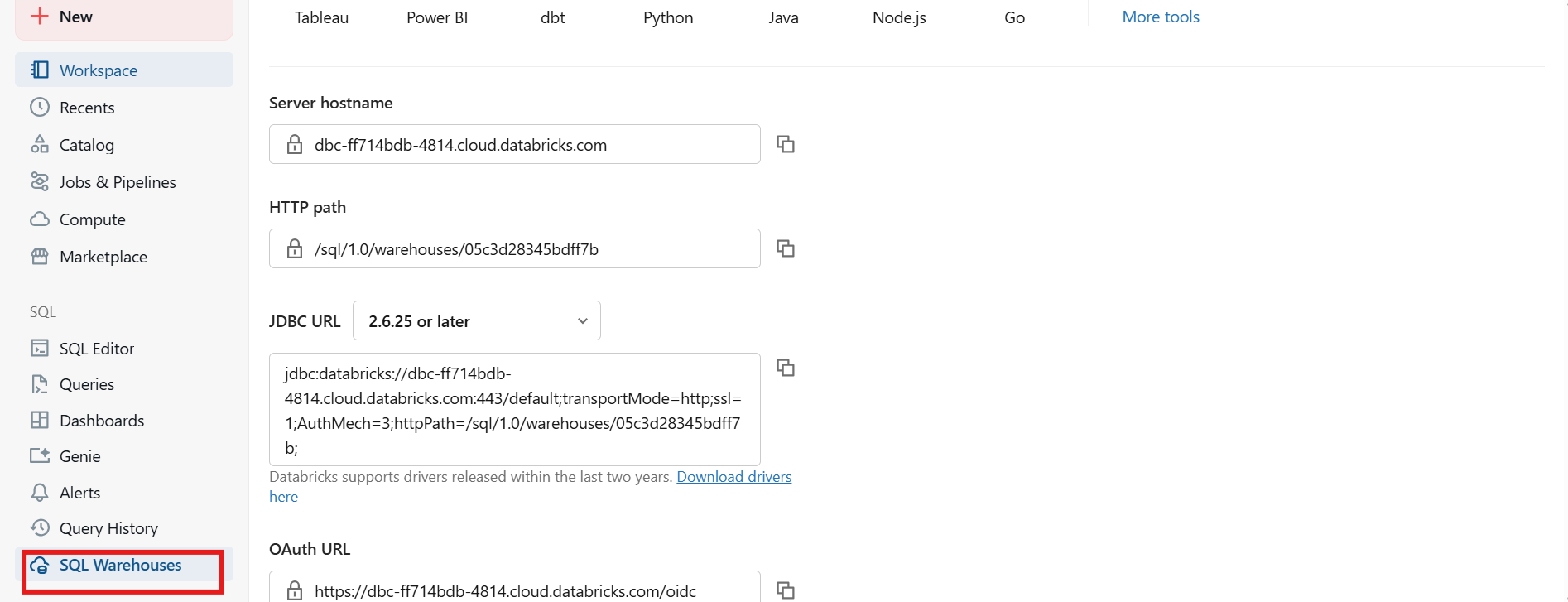
How to find Databricks Connection Details:
1. Log in to your Databricks account.
2. In the left-hand panel, click on SQL Warehouse.
3. Inside the SQL Warehouse section, click on Connection details.
4. This is where you can find all the required connection information.